2023
Intuit: Helping Customers Complete Tasks Easier
Many customers encounter challenges in completing tasks like updating their email or changing their password when accessing their Intuit Account. They often spend considerable time locating these features, resulting in approximately 3 million customer care calls annually for assistance with tasks we can readily facilitate.
I led a strategic redesign of core task-completion flows within the Intuit Platform to reduce friction, clarify decision-making, and help customers complete key actions with greater ease. By reframing the problem around cognitive load, system inconsistency, and discoverability gaps, I introduced platform-level patterns that improved efficiency, strengthened user confidence, and scaled across multiple Intuit products.

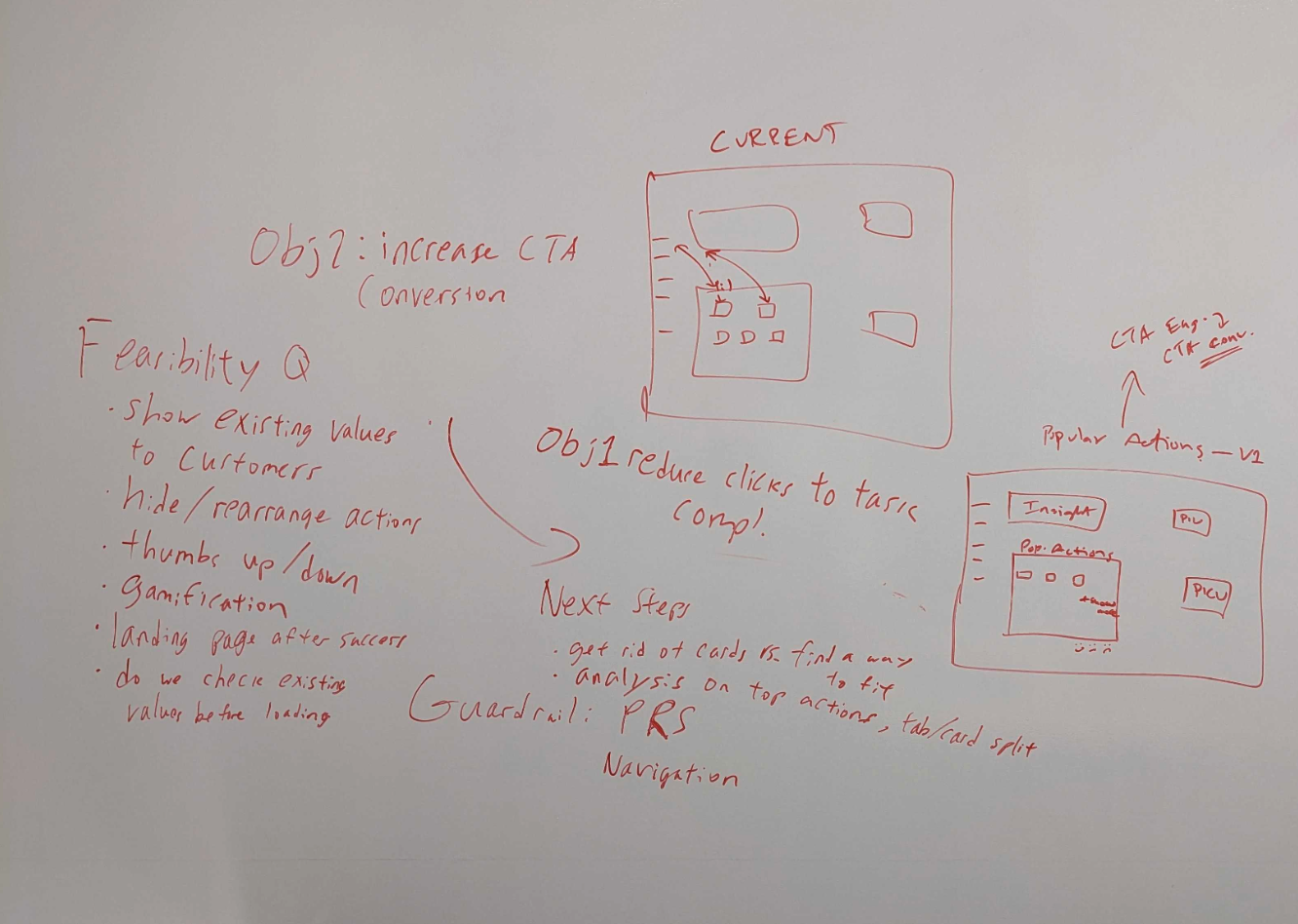
The opportunity
That's a lot of frustration...
After reviewing customer data within a 12-month period, out of 144,000 customer feedback responses:
- 10% (14,400 customers) couldn't update their email or phone number.
- 10% (14,400 customers) couldn't update their credit card information or find their billing statements.
- 30% (43,200 customers) couldn't find tax documentation.
Design process
Planning a path for customers
How can we devise a straightforward and user-friendly method for customers to effortlessly discover and accomplish the most prevalent tasks, thereby enhancing conversion rates and alleviating negative feedback from customers who feel disoriented during their search?
While customers who are well-acquainted with these tasks may not encounter difficulties in locating them again, those less familiar with the process often waste time navigating through various menus to find the desired destination.
The KPIs
Defining success
Much of the Intuit Account Manager customer traffic focuses on sign-in & security, product subscription, and payment-related tasks. The KPIs for this project focused on measuring the correlation between the increase in CTA conversion and task completion rates surrounding these types of tasks.
Design explorations
3 out of 4 ideas were shown to customers
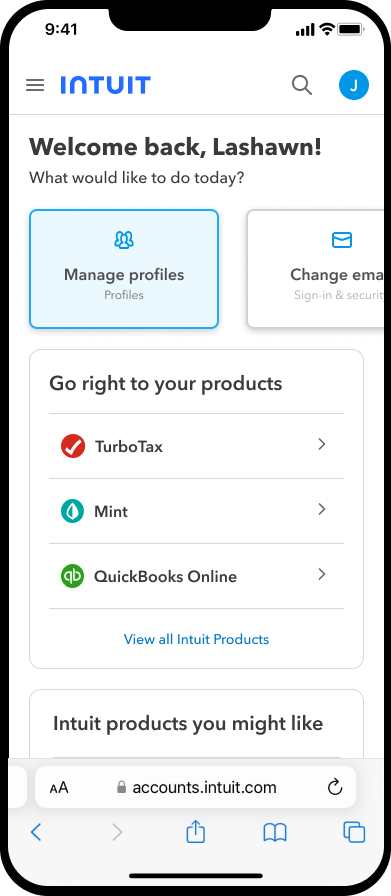
We explored places to display these tasks to help increase discoverability so customers can get exactly where they need to go, super fast. We completed an unmoderated test of 3 designs with 12 participants in the US, Canada, Spain, and France.
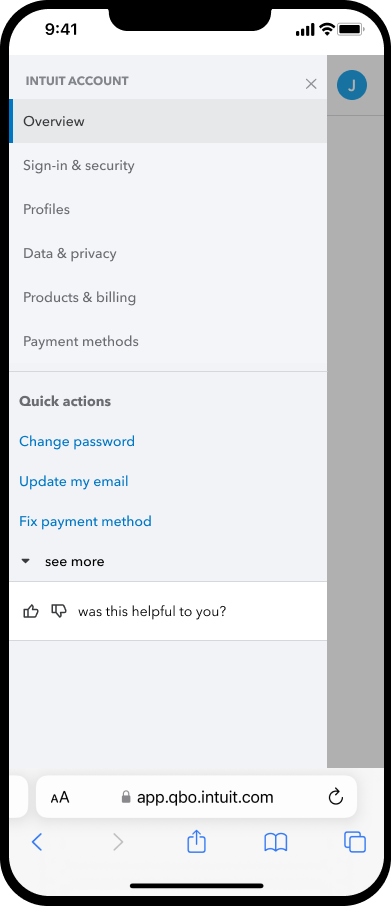
Testing results
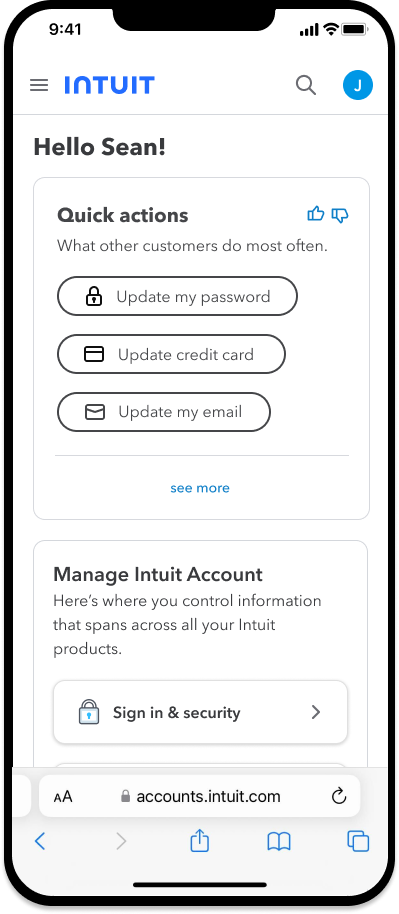
Customers loved this one the most
7 out of 12 customers agreed that this design choice was the best.
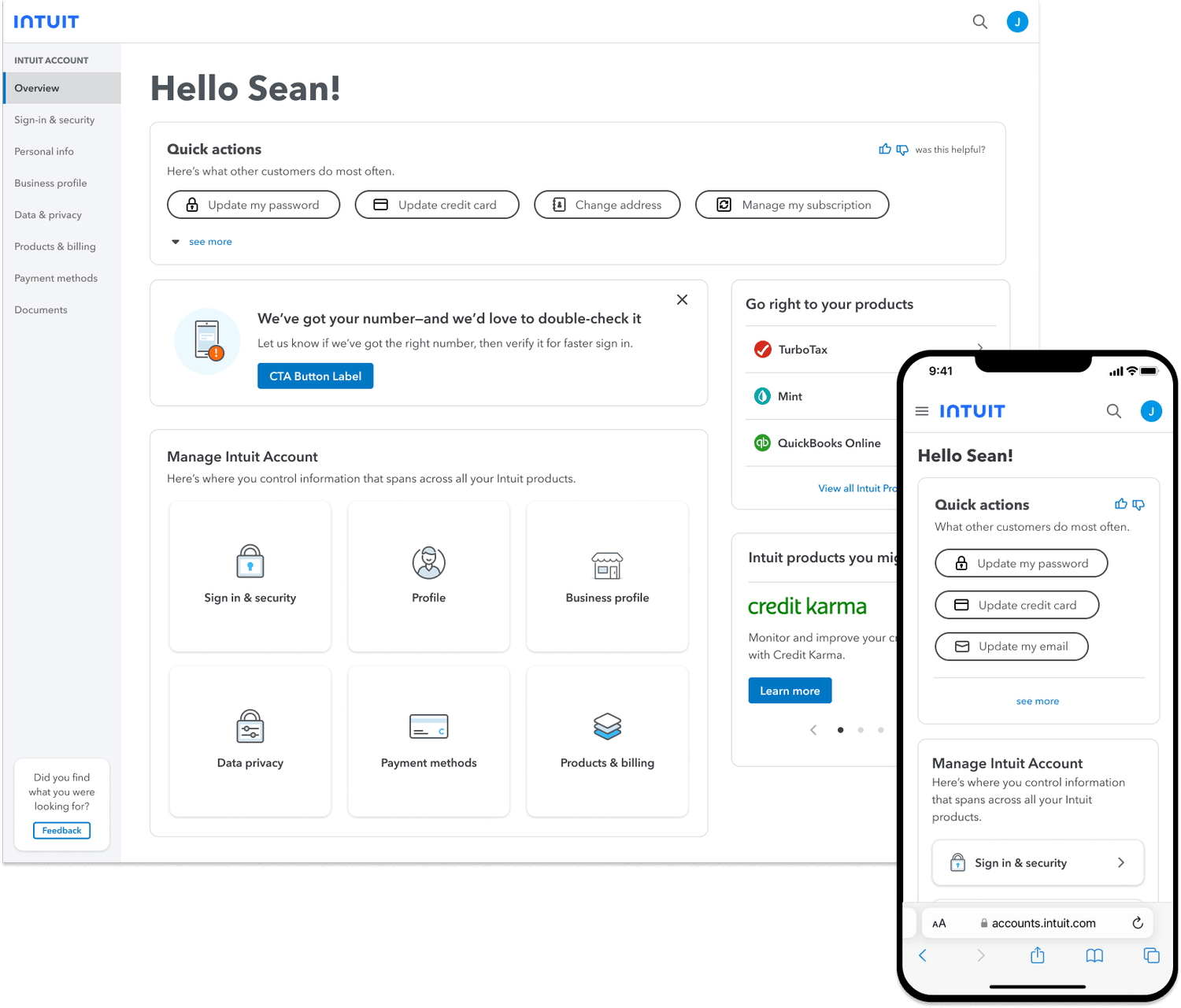
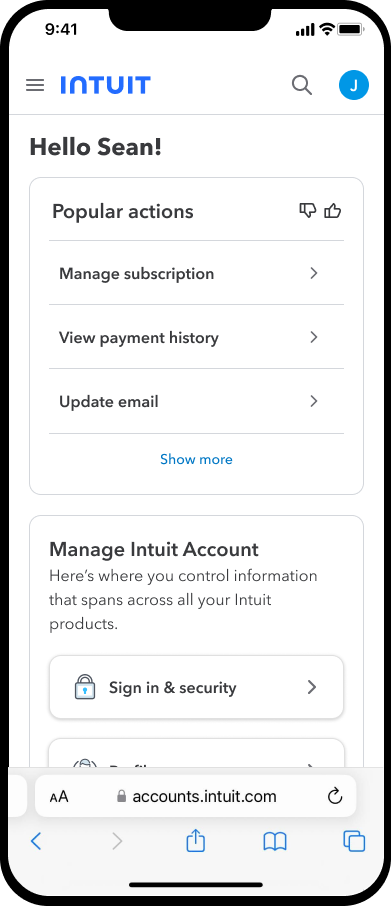
We chose this version
Final implementation
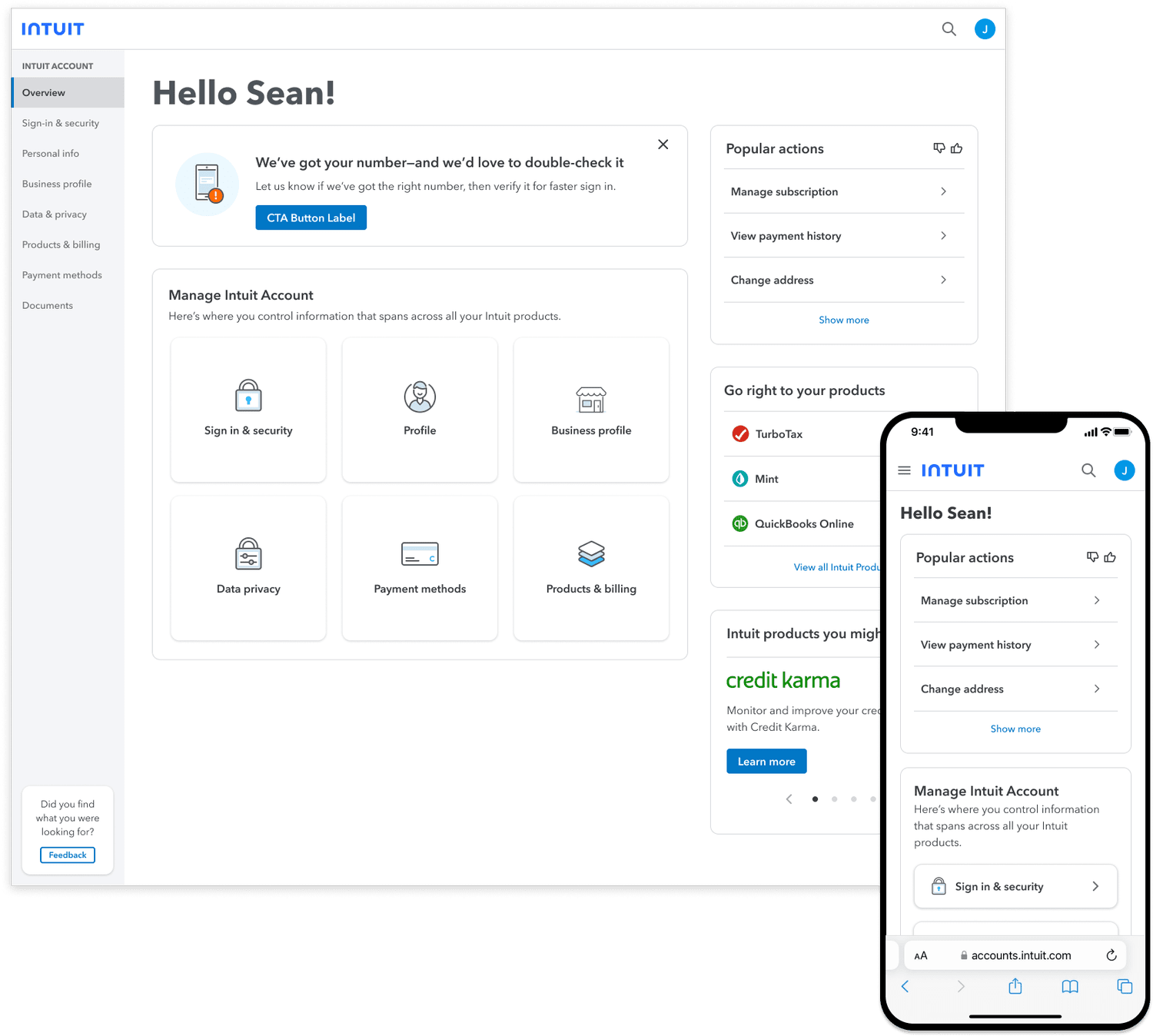
A concern came up about task discoverability becoming too visually prominent. Different teams own different areas within the Intuit Account, so any negative impact they would sustain from design revisions needed to be considered. Only 1 out of 12 customers preferred this design choice, but the results of its performance would confirm whether the right call was made.
The data
Popular Actions
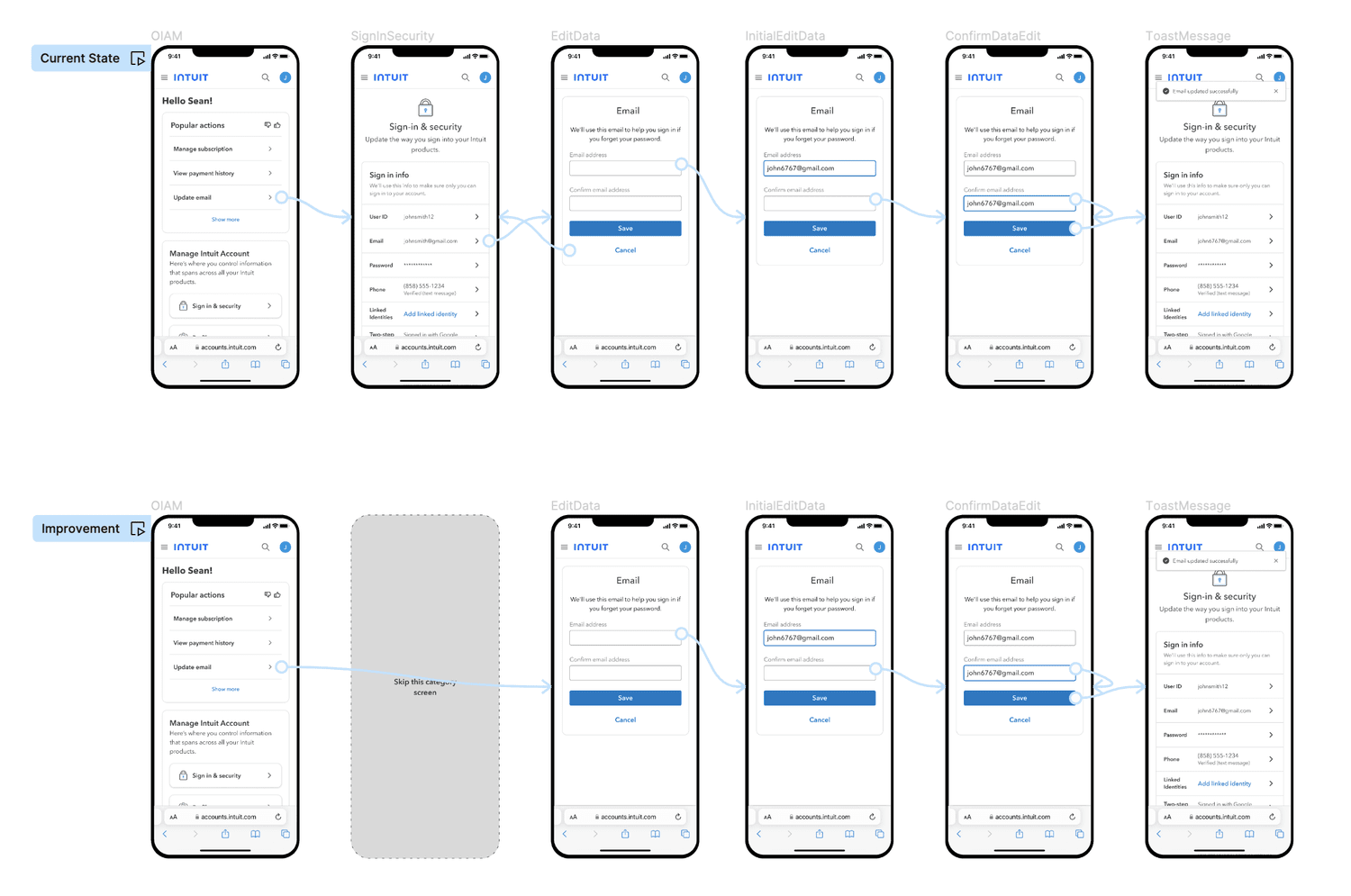
With the Popular Actions widget, customers don't have to take a long journey and can get to where they need to be much faster, for example, the common path customers take to update their email. Other actions such as manage subscriptions, view payment history, and update personal information aren't represented for confidentiality reasons.
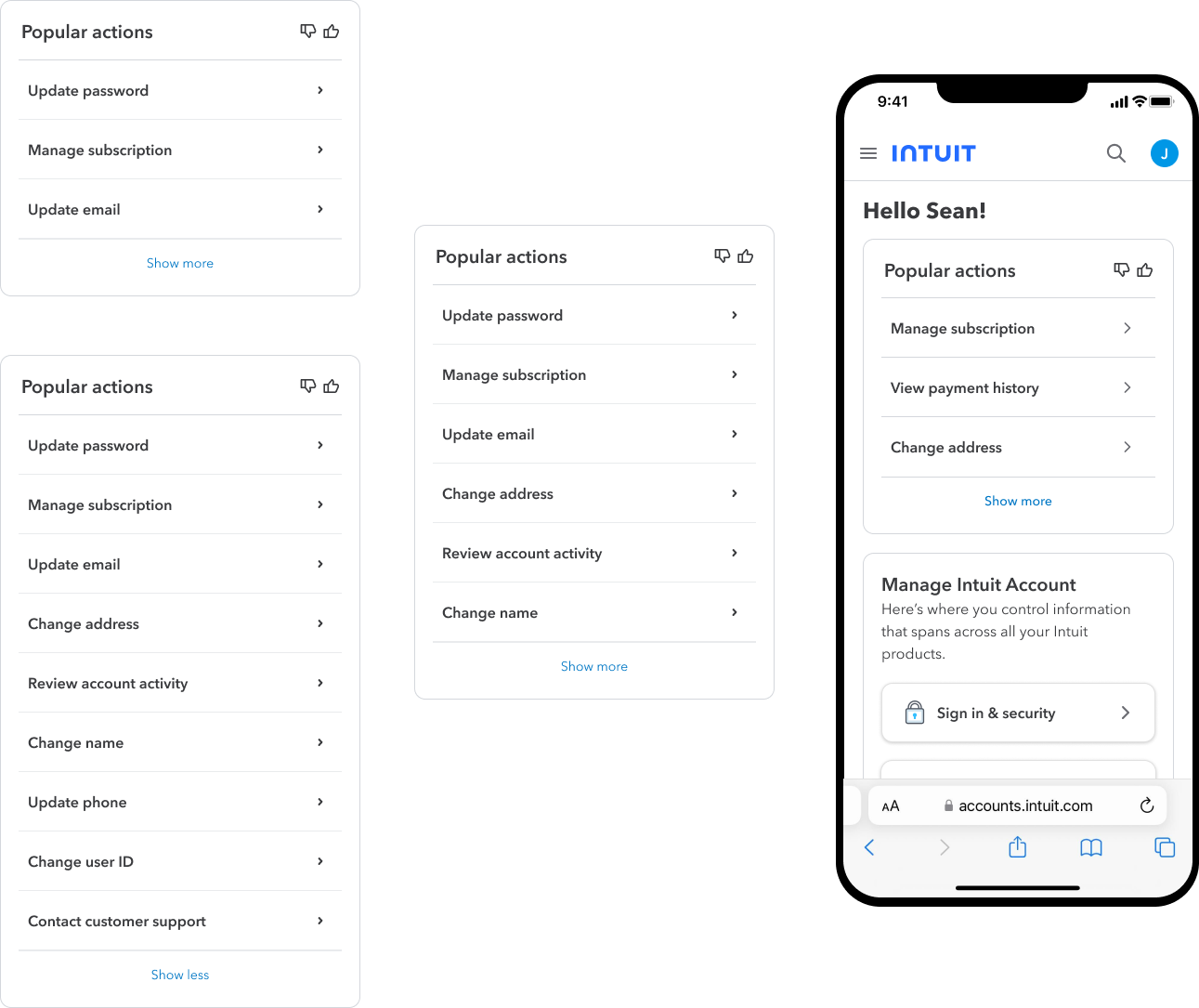
A better path for customers
The outcome
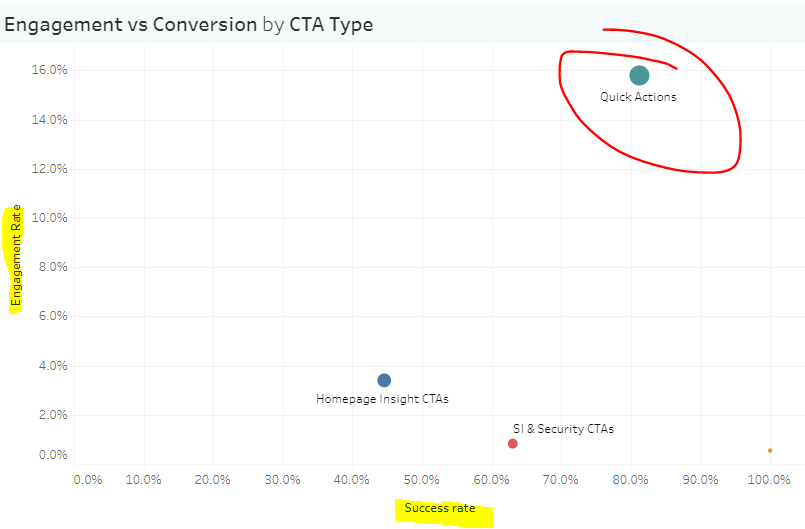
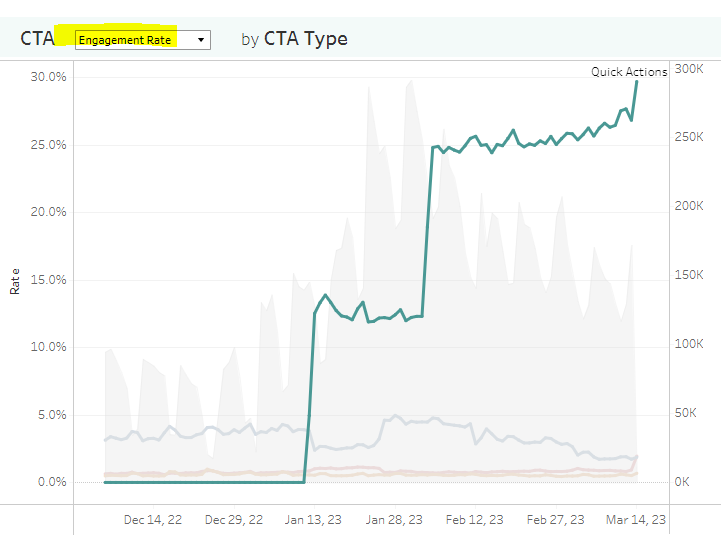
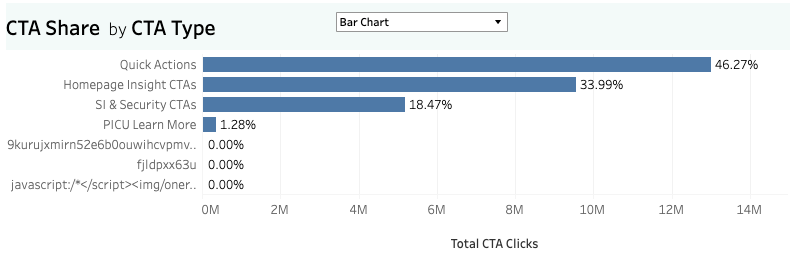
We got some good learnings after running the initial experiment. Even though the final design choice didn't win over customers during the unmoderated test, it performed extremely well once it shipped and was released into production. The Popular Actions widget continues to be the highest engagement CTA and conversion rate CTA within the Intuit Account Manager.
Credits.
Role
Sr. Product Designer · Intuit Platform & Identity